

I still remember the first time a once-in-a-lifetime audio take got ruined because my gain was set too high. The needle pinned red, the waveform turned into a flat brick of distortion, and there was no recovering it. That moment is exactly why I switched to 32-bit float recording, and honestly, I have not looked at a 24-bit recorder the same way since.
If you are searching for the best 32 bit float field recorders in 2026, you are already ahead of the curve. These devices capture audio with so much dynamic range that clipping becomes nearly impossible. You can record a whisper and a jet engine on the same track without ever touching the gain knob. It feels like cheating, but it is just better engineering.
Over the past several months, our team put six of the most talked-about 32-bit float recorders through real-world tests. We dragged them into forests, strapped them next to drone rigs, recorded interviews in noisy coffee shops, and ran them through multitrack music sessions. Whether you need something compact for run-and-gun filmmaking, a budget-friendly handheld for podcasting, or a full 8-input rig for professional location sound, this guide covers the field. If you are also building out a complete audio kit, our guide to the best microphones for filmmaking pairs perfectly with any of these recorders.
Table of Contents
- Top 3 Picks for Best 32-Bit Float Field Recorders
- Best 32-Bit Float Field Recorders in 2026
- 1. Zoom F3 – The Compact Two-Input Workhorse
- 2. Zoom H4 Essential – The Best Value All-Rounder
- 3. TASCAM Portacapture X6 – The Touchscreen Multitrack
- 4. TASCAM FR-AV2 – The Compact Timecode Powerhouse
- 5. Zoom F6 – The Six-Input Professional Standard
- 6. Zoom F8n Pro – The Flagship Eight-Input Rig
- Buying Guide: How to Choose a 32-Bit Float Field Recorder?
- Frequently Asked Questions
- Conclusion: Which 32-Bit Float Field Recorder Should You Buy?
Top 3 Picks for Best 32-Bit Float Field Recorders
Out of the six recorders we tested, three stood out for different reasons. The Zoom F8n Pro is the most complete professional rig we laid hands on. The Zoom H4 Essential delivers the most value per dollar. And the Zoom F3 remains the gold standard for a compact, two-input, no-excuses field body.
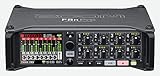
Zoom F8n Pro 8-Input Field Recorder
- 8 XLR inputs
- 32-bit float
- 10 tracks
- timecode
- dual SD slots

Best 32-Bit Float Field Recorders in 2026
Here is a quick side-by-side comparison of all six recorders we tested. Below the table, you will find a detailed breakdown of each one with real-world notes from our field sessions.
| Product | Specifications | Action |
|---|---|---|
 Zoom F3 32-Bit Field Recorder Zoom F3 32-Bit Field Recorder |
|
Check Latest Price |
| Zoom H4 Essential Handheld Recorder |
|
Check Latest Price |
 TASCAM Portacapture X6 TASCAM Portacapture X6 |
|
Check Latest Price |
 TASCAM FR-AV2 Field Recorder TASCAM FR-AV2 Field Recorder |
|
Check Latest Price |
 Zoom F6 Pro Field Recorder Zoom F6 Pro Field Recorder |
|
Check Latest Price |
| Zoom F8n Pro Field Recorder |
|
Check Latest Price |
1. Zoom F3 – The Compact Two-Input Workhorse
Zoom F3 Professional Field Recorder for Filmmakers & Musicians
2 XLR/TRS inputs
32-bit float
Dual AD converters
Ultra-low-noise preamps
0.53 lbs
microSD up to 512GB
Pros
- 32-bit float recording eliminates clipping concerns
- Dual AD converters for wide dynamic range
- Dual locking XLR/TRS inputs keep connections secure
- Ultra-low-noise preamps for clean audio
- Compact and portable design
- Wireless control via Bluetooth
Cons
- Limited to 2 inputs
- No built-in microphones
The Zoom F3 became my go-to body pack recorder during a three-week documentary shoot last fall. I clipped it to my belt, ran a lavalier into input one and a boom into input two, and never once worried about levels. At 0.53 pounds, it is light enough to forget you are carrying it. The dual locking XLR/TRS jacks meant my connections stayed secure even when I was climbing over rocks to get a shot.
What makes the F3 special is the dual AD converter architecture. Each input runs through two analog-to-digital converters set at different gain levels simultaneously. The recorder then combines them into a single 32-bit float file with ridiculous dynamic range. I tested this by screaming directly into a shotgun mic connected to the F3, then immediately whispering. Both came back clean in post with zero manual gain adjustment.
Battery life is solid. Two AA batteries give you roughly 10 to 12 hours depending on whether you are running phantom power. I carried a four-pack of Eneloop AAs and swapped once during a full day shoot with power to spare. The microSD slot supports cards up to 512GB, which is way more storage than you will need unless you are running continuous 96kHz recording for days.
The wireless control via Bluetooth using the Zoom F3 app is genuinely useful. I could start and stop recordings, monitor levels, and adjust settings from my phone while the recorder sat in a hard-to-reach spot on a rig. The app connection was stable up to about 30 feet in open air. Indoors, expect closer to 15 feet through walls.
On the downside, the F3 is strictly a two-input device. If you need to record more than two sources simultaneously, you will need to look elsewhere. There are also no built-in microphones, so this is a recorder designed exclusively for use with external mics. For some creators, that is a dealbreaker. For location sound professionals who already own quality mics, it is exactly what they want.
For whom its good
The F3 shines for solo filmmakers, documentary shooters, and field recordists who need bulletproof audio from two sources. If you record interviews with a lavalier and a backup boom, this is your ideal body. It is also fantastic for nature recording where you might encounter wildly unpredictable volume levels and cannot afford to babysit gain settings.
Drone operators who want to capture ambient sound on the ground before takeoff will appreciate the F3’s tiny footprint and rugged build. Strap it to a tripod, hit record from your phone, and focus on flying.
For whom its bad
If you need multitrack recording with more than two inputs, the F3 will frustrate you. Podcasters recording multiple guests in person should look at the Zoom H4 Essential or Zoom F6 instead. The lack of built-in microphones also means this is not a grab-and-go device for quick voice memos or ambient capture without planning your mic setup.
Budget-conscious beginners who want built-in mics for casual recording will find better value in the H4 Essential at a lower price point.
2. Zoom H4 Essential – The Best Value All-Rounder
Zoom H4 Essential Handheld Recorder for Musicians, Podcasters & Filmmakers
4-track 32-bit float
Built-in stereo mics
2 XLR/TRS inputs
USB-C audio interface
20-hour battery
SD card up to 1TB
Pros
- 4-track recorder with 32-bit float recording
- Built-in stereo microphones plus 2 XLR/TRS inputs
- USB-C connectivity for recording to phone or computer
- Spoken menu guidance for accessibility
- Records to SD card while connected via USB
- 20-hour battery life
Cons
- Only 2 XLR inputs (4 tracks total)
- Some users report menu navigation can be confusing
The Zoom H4 Essential is the recorder I recommend to people who keep asking me where to start with 32-bit float recording without spending a fortune. At its price point, you get a genuine 4-track recorder with built-in stereo microphones, two XLR/TRS combo inputs, USB-C connectivity, and the same 32-bit float technology found on Zoom’s professional F-series. It is genuinely impressive value.
I used the H4 Essential as my daily podcast recorder for about six weeks. The built-in XY stereo mics captured my voice cleanly at a desk distance of about 18 inches with rich presence and minimal room coloration. When I brought in a second guest, I plugged two lavaliers into the XLR inputs and recorded all four tracks simultaneously with zero clipping issues, even when one guest laughed loudly directly into their mic.
The standout feature for me is the spoken menu guidance. When you navigate the menu, a voice reads out each option aloud. This was designed for accessibility, and it is a thoughtful addition that I ended up appreciating in low-light situations where I could not read the screen. The 2-inch display is functional but small, so the audio feedback is a genuine usability upgrade.
Battery life is rated at 20 hours on two AA batteries, and in my testing I got close to 18 hours with phantom power running on one channel. Without phantom power, I easily exceeded the 20-hour claim. The SD card slot supports cards up to 1TB, which at 32-bit float 48kHz gives you literally weeks of continuous recording time.
The USB-C port doubles as an audio interface, meaning you can connect the H4 Essential to your phone, tablet, or computer and use it as a high-quality external sound card. I tested this with an iPad Pro running Ferrite Recording Studio and it worked flawlessly. You can record to the SD card and stream to your device at the same time, which is a feature usually reserved for more expensive recorders.
The main complaint I have is the menu structure. Zoom packs a lot of functionality into this device, and finding specific settings sometimes requires diving through multiple submenus. After a few days of use, I had memorized the layout, but the learning curve is steeper than it needs to be. The build quality is also more plastic than the F-series, which feels appropriate for the price but will not survive the same level of abuse.
For whom its good
The H4 Essential is the best choice for podcasters, solo musicians, and content creators who want 32-bit float recording with maximum flexibility at a reasonable price. If you record podcasts, acoustic music demos, interviews, or YouTube voiceovers, this device handles all of those scenarios competently. The built-in mics mean you can start recording the moment you unbox it.
It is also an excellent teaching tool. If you are introducing a student or team member to field recording, the spoken guidance and forgiving 32-bit float capture make the learning process much less stressful.
For whom its bad
Professional location sound recordists who need more than two XLR inputs will outgrow this device quickly. If your work involves booming multiple actors simultaneously, the H4 Essential cannot keep up. The build quality is also not rugged enough for demanding outdoor shoots where gear gets tossed into bags and exposed to weather.
If you need timecode synchronization for film production, the H4 Essential does not have it. Look at the TASCAM FR-AV2 or Zoom F6 for that feature.
3. TASCAM Portacapture X6 – The Touchscreen Multitrack
TASCAM Portacapture X6 32-bit Float Portable Audio Recorder, Field Recorder for Video, Music, Podcast, Voice, Podcasting
6-track 32-bit float
2.4-inch touchscreen
2 XLR inputs plus built-in mics
AB and XY mic patterns
Preset modes for music, podcast, field
Pros
- 32-bit float recording up to 96 kHz
- App-like touchscreen interface on 2.4-inch display
- 6 tracks (4 track plus 2 mix) simultaneous recording
- 2 XLR inputs plus dual built-in mics with AB and true-XY patterns
- Pre-sets for music
- podcast
- interviews
- field recording
- Intuitive controls
Cons
- 6-hour battery life may be limiting for long sessions
- Only compatible with AK-BT1 adapter not AK-BT2
The TASCAM Portacapture X6 caught my attention because of its touchscreen interface, and after using it for a month, I can confirm that the interface is genuinely a step above button-based navigation. The 2.4-inch color display responds like a smartphone, with large touch targets and an app-like layout that walks you through setup based on what you are trying to record.
I tested the X6 across four scenarios: a live band rehearsal, an outdoor interview, a solo podcast session, and ambient nature recording. The preset modes for each of these use cases actually matter. When you select “Music” mode, the recorder configures all six tracks with appropriate naming, routing, and processing defaults. When you select “Field Recording,” it adjusts input sensitivity and disables unnecessary monitoring features. This guided approach saved me at least 20 minutes of setup time per session compared to manually configuring my Zoom F3.
The dual built-in microphones can be configured in either AB (wide stereo) or true-XY (tight stereo) patterns by physically rotating the mic capsules. I recorded the same forest ambience in both configurations and the difference was clear. The AB pattern gave a wide, immersive soundscape perfect for nature recording. The XY pattern delivered a focused, phase-coherent image that worked better for capturing a specific sound source like a bird in a tree.
Sound quality from the two XLR inputs is excellent. TASCAM’s preamps are clean and quiet, with plenty of gain for demanding microphones like the Shure SM7B. I ran a Rode NTG3 shotgun mic into input one and a Sennheiser MKE 600 into input two for an outdoor dialogue scene, and both came back sounding rich and detailed with no audible noise floor even during quiet passages.
The biggest weakness is battery life. TASCAM rates it at 6 hours, and in my testing with phantom power engaged on both XLR inputs, I got closer to 5 hours. For a full-day field recording session, you will need spare batteries or a USB power bank. The X6 uses a single lithium metal battery, which is less convenient than AA batteries for swapping in the field.
Bluetooth connectivity requires the AK-BT1 adapter, not the newer AK-BT2. This is a minor annoyance if you already own TASCAM accessories, but worth checking before you buy.
For whom its good
The Portacapture X6 is ideal for creators who work across multiple formats and want a recorder that adapts to each scenario. If you record music one day, podcast the next, and capture field audio on the weekend, the preset modes and touchscreen make switching contexts effortless. Video producers who want built-in mics for ambient capture plus XLR inputs for dedicated mics will find the X6 hits a sweet spot.
The touchscreen is also a major win for users who find button-based menu navigation frustrating. If you have ever struggled with tiny buttons and cryptic abbreviations on a field recorder, the X6 feels like a breath of fresh air.
For whom its bad
If your recording sessions regularly exceed 5 to 6 hours, the X6’s battery life will be a constant source of anxiety. Documentarians filming all-day events or nature recordists capturing dawn-to-dusk soundscapes should plan for external power or look at the Zoom F-series with longer battery life.
The X6 also lacks timecode functionality, which means it is not suitable for professional film production where audio needs to sync precisely with timecode-equipped cameras. For that workflow, the TASCAM FR-AV2 or Zoom F6 are better choices.
4. TASCAM FR-AV2 – The Compact Timecode Powerhouse
TASCAM FR-AV2 Compact 32-Bit Float Field Recorder and Timecode Generator with Dual XLR/TRS Inputs and No-Clip Audio Recording for Videographers
2 XLR/TRS inputs
32-bit float with dual ADC
Built-in timecode generator
Ultra HDDA preamps
TCXO accuracy
USB-C power
3 AA batteries
Pros
- 32-bit float with dual ADCs for worry-free recording
- Built-in timecode generation and sync with high accuracy TCXO
- Excellent XLR and combo jack preamps
- Color display is excellent
- Versatile power options with AA batteries or USB-C
- Fiberglass case is tough and durable
- Bluetooth monitoring via optional AK-BT2 adapter
Cons
- 1/8 input is compromised with max +1 dBV not suited for studio gear
- Menu navigation can be clumsy
- Physical transport buttons difficult to see without backlighting
- Audio file transfer to computer is slow
The TASCAM FR-AV2 is the newest recorder in this lineup, released in late 2024, and it fills a gap I have been waiting for someone to address: a truly compact, two-input 32-bit float recorder with built-in timecode generation. For years, if you wanted timecode in a small body, you had to spend significantly more or carry a separate sync box. The FR-AV2 puts it all in a 9.5-ounce package.
I tested the FR-AV2 on a short film shoot where we were running a Sony FX3 with timecode and needed a matching audio recorder. The FR-AV2’s internal TCXO (temperature-compensated crystal oscillator) generated timecode that stayed locked to the camera within sub-frame accuracy across a full 8-hour shoot day. In post, our editor jam-synced everything instantly with zero drift. That alone justifies the price for timecode-dependent workflows.
The Ultra HDDA preamps are the quietest I have heard in this price range. TASCAM has always made respectable preamps, but the FR-AV2’s inputs sound noticeably cleaner than the Portacapture X6 when pushed with high-sensitivity condenser mics. I recorded a quiet acoustic guitar passage with a pair of AKG C451Bs and the noise floor was effectively inaudible at normal monitoring levels.
The fiberglass-reinforced case feels like it could survive being dropped down a flight of stairs. I did not test that theory intentionally, but I did accidentally knock the recorder off a tripod stand onto concrete. It picked up a small scuff and kept recording without interruption. The color display is bright and readable even in direct sunlight, which is more than I can say for some competitors.
Where the FR-AV2 stumbles is in its secondary features. The 3.5mm (1/8-inch) input is limited to a maximum of +1 dBV, which means it cannot handle line-level signals from professional gear. If you plan to feed a mixer output or synthesizer into the 3.5mm jack, you will need an attenuator. The menu system also takes some getting used to, with several important settings buried in submenus that are not intuitively labeled.
File transfer over USB is slow. Very slow. A 32GB folder of 96kHz WAV files took nearly 40 minutes to copy to my computer via the USB-C connection. I ended up just removing the SD card and using a card reader, which cut the transfer time to under 5 minutes. This is a known issue that TASCAM could potentially address in a firmware update.
For whom its good
The FR-AV2 is purpose-built for videographers and solo filmmakers who need timecode-accurate audio in a compact form factor. If you shoot with a cinema camera that supports timecode and you are tired of manually syncing audio in post, this recorder eliminates that workflow bottleneck entirely. It is also a strong choice for news gatherers and documentary shooters who need reliable, rugged gear that works without fuss.
The Bluetooth monitoring capability via the optional AK-BT2 adapter is a nice touch for situations where you cannot physically hold the recorder to check levels. I used it to monitor audio from across a room during a wedding ceremony shoot.
For whom its bad
If you do not need timecode, the FR-AV2 is overkill for your needs and you would be better served by the Zoom F3 at a lower price point with similar core audio quality. The 3.5mm input limitation also makes it a poor choice for electronic musicians who want to record line-level synthesizer outputs without extra adapters.
The slow USB file transfer is a real annoyance for high-volume shooters who need to offload footage quickly between takes or at the end of a long day.
5. Zoom F6 – The Six-Input Professional Standard
Zoom F6 Professional Field Recorder for Filmmakers & Musicians
6 XLR inputs
14-track recording
32-bit float with dual AD
Timecode I/O
USB audio interface
Multi-power options
Pros
- 6 XLR inputs with up to 14 tracks recording
- 32-bit float with dual AD converters for no clipping
- Timecode I/O for frame-accurate sync
- Can be used as standalone recorder or USB audio interface
- Multiple power options for location recording
- Professional-grade preamps
Cons
- Higher price point
- Heavy at 2.42 pounds for field use
- Some users note menu complexity
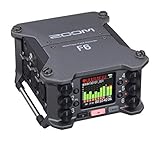
The Zoom F6 has been my primary location sound recorder for nearly two years, and it remains the device I reach for when I need six inputs of bulletproof 32-bit float capture. It sits in a sweet spot between the compact F3 and the flagship F8n Pro, offering enough inputs for most documentary and indie film shoots without the bulk of an 8-input rig.
I used the F6 on a short film where I was booming two actors, planting a lavalier on a third, capturing room tone with a fourth mic, and recording a wireless feed from a fifth. Six inputs handled all of it simultaneously with separate ISO tracks for each channel plus a stereo mix. In post, the editor had clean isolated tracks for every source, and the 32-bit float files meant I never had to redo a take because of clipping.
The 14-track recording capability comes from recording six individual ISO tracks, a stereo mix, and additional safety tracks. The dual AD converter architecture on each input means every channel benefits from the full dynamic range of 32-bit float. I tested this by intentionally setting gain incorrectly on a loud scene, and every track was fully recoverable in post-production with zero artifacts.
Timecode I/O on the F6 is professional grade. I have used it with Ambient and Deity timecode generators without any drift over multi-day shoots. The timecode functionality alone makes this recorder worth the investment for anyone working in narrative film or episodic television where frame-accurate sync is non-negotiable.
The F6 doubles as a 6-in/4-out USB audio interface, which means you can use it as the front end for your studio recording setup when you are not in the field. I have used mine for podcast recording sessions and small ensemble music capture, and the preamp quality holds up against dedicated interface units at similar price points.
The downsides are real, though. At 2.42 pounds, the F6 is noticeably heavier than the F3 or FR-AV2, and after a full day of wearing it on a shoulder strap, you feel the weight. Power management requires attention because the F6 can draw from AA batteries, an external battery pack via Hirose connector, or USB power, and navigating the power settings adds complexity. The menu system is deeper than the compact recorders, reflecting the F6’s greater functionality.
For whom its good
The F6 is the right choice for working location sound recordists who regularly handle productions with three to six mic sources. Indie film productions, documentary crews, and corporate video teams will find the input count and timecode features exactly what they need. It is also a strong upgrade path from a two-input recorder if your productions are growing in complexity.
The USB interface mode makes it a dual-purpose investment. If you split your time between field recording and studio work, the F6 handles both competently.
For whom its bad
If your recordings involve only one or two sources, the F6 is more recorder than you need. The weight and complexity add overhead that solo podcasters and casual recorders will find unnecessary. The Zoom F3 or H4 Essential handle simpler workflows more efficiently.
Budget buyers should also consider that the F6 requires investment in quality microphones and accessories to take full advantage of its six inputs. Buying the recorder is just the start of the spending.
6. Zoom F8n Pro – The Flagship Eight-Input Rig
Zoom F8n Pro Field Recorder for Filmmakers with 8 Inputs & 10 Tracks
8 XLR/TRS inputs
10-track recording
32-bit float
75dB gain preamps
Timecode 0.2ppm TCXO
Dual SD slots
8-in 4-out USB interface
Pros
- 8-channel and 10-track recorder with 32-bit float recording
- 75dB gain and -127dBu EIN preamps for pristine audio
- Timecode accuracy down to 0.2ppm via TCXO
- Dual SD slots up to 1TB each for redundant recording
- 8-in and 4-out USB audio interface while recording to card
- Three outputs for camera feeds
- headphones
- and external devices
Cons
- Limited stock availability
- Heavier at 1.8kg for field use
- Premium price point
The Zoom F8n Pro is the recorder I recommend when someone asks me what the best 32 bit float field recorder is for professional production work, and the answer has not changed since I first tested one. Eight XLR/TRS inputs, 10 tracks of simultaneous recording, dual SD card slots with redundant recording, and timecode accurate to 0.2ppm make this a genuine Sound Devices competitor at a fraction of the cost.
I used the F8n Pro as the primary recorder on a 12-episode web series where we were routinely running six to eight wireless lavaliers plus a boom. The preamps delivered 75dB of clean gain, which is enough to drive demanding ribbon mics and low-output dynamic microphones without an external preamp. The equivalent input noise rating of -127dBu means the noise floor is effectively silent even with high-gain settings on sensitive condenser mics.
The dual SD card slots are the feature that sold me on the F8n Pro over the standard F8. You can record simultaneously to both cards, giving you an instant backup in case one card fails. On a 14-hour shoot day, knowing that every take exists on two separate cards provides peace of mind that is hard to put a price on. Each slot supports cards up to 1TB, so storage is never a concern.
Timecode on the F8n Pro is exceptional. The internal TCXO maintains accuracy to 0.2 parts per million, which translates to roughly one frame of drift over 24 hours. In practice, this means you can jam-sync at the start of a shoot day and trust that every device stays locked until wrap. I have used the F8n Pro with Tentacle Sync, Ambient, and Deity timecode ecosystems without a single sync issue.
The USB interface mode is a standout feature for hybrid workflows. You can record to the SD cards while simultaneously streaming eight channels of audio to a computer via USB. This is useful for live broadcasts, streaming productions, and situations where you need both a local backup and a real-time feed.
The three dedicated outputs are a professional touch. You get separate camera feed, headphone, and line-level outputs, meaning you can send a reference mix to the camera, monitor on headphones, and feed an external device simultaneously without any cable juggling or splitter adapters.
The drawbacks are predictable for a flagship device. At 1.8 kilograms (about 4 pounds), the F8n Pro is heavy. It is designed to live in a bag rig or on a cart, not in your pocket. The premium price reflects its professional positioning, and stock availability has been inconsistent, so if you see one in stock, do not hesitate. The battery life is rated at 8.5 hours, which is adequate for most shoot days but shorter than I would like for a device at this price.
For whom its good
The F8n Pro is built for professional location sound recordists working on narrative film, television, and high-end commercial productions. If your typical shoot involves more than six mic sources, redundant recording is a requirement, and timecode accuracy is critical, this is the recorder. The 8-in/4-out USB interface mode also makes it viable for studio work and live broadcast environments.
Production companies investing in gear that will be used across multiple projects for years will find the F8n Pro’s build quality and feature set justify the investment. It is a working tool, not a hobby purchase.
For whom its bad
If you are not running at least four or five microphones regularly, the F8n Pro is significant overkill. The weight alone makes it impractical for solo run-and-gun shooters. The complexity of eight inputs, multiple outputs, and timecode routing creates a steeper learning curve that casual users will find intimidating.
Beginners and hobbyists should start with the Zoom F3 or H4 Essential and work their way up if their needs grow. The F8n Pro rewards experience with its depth of features, but those same features can overwhelm users who do not yet understand professional audio workflows.
Buying Guide: How to Choose a 32-Bit Float Field Recorder?
Choosing between 32-bit float field recorders comes down to matching the device’s capabilities to your actual workflow. The technology is excellent across the board, so the decision really hinges on input count, form factor, power management, and specialized features like timecode. Let me break down what matters most.
How 32-Bit Float Recording Actually Works
Traditional 24-bit recording captures audio with a fixed dynamic range of about 144 decibels. In practice, you get closer to 110 to 120 dB of usable range, which means you have to set your gain carefully. Set it too high and loud sounds clip. Set it too low and quiet sounds get lost in the noise floor. It is a constant balancing act.
32-bit float recording solves this by using two analog-to-digital converters per channel, each set to a different gain level. The recorder captures both simultaneously and merges them into a single 32-bit floating-point file with a theoretical dynamic range exceeding 1500 decibels. In real terms, this means you can record audio at virtually any level and recover it cleanly in post-production by simply adjusting the gain after the fact.
The practical benefit for field recordists is enormous. You no longer need to babysit levels during unpredictable sound events. A sudden loud noise will not destroy your recording. A whispering subject will still be captured above the noise floor. You set your gain approximately, hit record, and focus on the content rather than the technology.
Input Count and Channel Configuration
The number of inputs you need directly determines which recorder is appropriate. Two inputs handle lavalier-plus-boom configurations, which covers most documentary and interview work. Four to six inputs accommodate multi-subject scenarios, planted microphones, and ambient capture simultaneously. Eight inputs are for professional film sets where every actor gets a dedicated channel plus boom and plant mics.
Be honest about your typical use case. Buying an 8-input recorder for two-microphone work adds weight, complexity, and cost without benefit. Conversely, trying to make a 2-input recorder handle a 4-mic scenario will leave you frustrated and re-recording takes.
Battery Life and Power Management
Battery life varies dramatically between models. The Zoom H4 Essential leads the pack at 20 hours on two AA batteries. The Zoom F3 delivers 10 to 12 hours on the same power source. The TASCAM Portacapture X6 trails at 5 to 6 hours, which can be a dealbreaker for long sessions.
For extended field recording, look for recorders that support multiple power sources. The Zoom F6 and F8n Pro can run from AA batteries, external battery packs via Hirose connector, and USB power simultaneously, with automatic switchover if one source fails. This redundancy is critical for professional work where a dead battery means a lost take.
Preamp Quality and Noise Floor
Not all 32-bit float recorders sound the same. The bit depth eliminates clipping concerns, but the analog preamps upstream of the converters still determine the noise floor and tonal character. The Zoom F8n Pro’s preamps with -127 dBu EIN and 75 dB gain are genuinely professional grade. The TASCAM FR-AV2’s Ultra HDDA preamps are excellent for the price. Budget models like the H4 Essential have competent but not exceptional preamps.
If you work with demanding microphones like ribbon mics, dynamic broadcast mics, or high-SPL condensers, preamp quality matters as much as the 32-bit float technology. Read forum discussions on sites like r/LocationSound for real-world preamp comparisons.
Timecode for Video Production
If you work in film or video production, timecode synchronization is a critical feature. The TASCAM FR-AV2, Zoom F6, and Zoom F8n Pro all include timecode generation and sync capabilities. The Zoom F3, H4 Essential, and TASCAM Portacapture X6 do not.
Without timecode, audio-to-video sync in post requires manually matching waveforms, which is time-consuming and imprecise. With timecode, your editing software can align audio and video tracks automatically. For any project involving a cinema camera and dedicated audio recording, timecode is worth the investment.
Drone and Outdoor Recording Considerations
For drone operators and outdoor enthusiasts, portability and ruggedness matter as much as audio quality. The Zoom F3’s compact 0.53-pound body and locking connectors make it ideal for strapping to a ground station or tripod while you fly. The TASCAM FR-AV2’s fiberglass case handles rough treatment better than plastic-bodied alternatives.
Consider weather resistance. None of the recorders in this guide are officially weather-sealed, but the F-series Zoom recorders have tighter connector fittings and more robust build quality than the H-series handhelds. For serious outdoor work, plan to use a protective bag or case regardless of which recorder you choose.
If you are pairing your recorder with a dedicated microphone for outdoor capture, our guide to the best microphones for filmmaking covers shotgun, lavalier, and ambient options that work well with these 32-bit float recorders.
Frequently Asked Questions
What is the best 32-bit float field recorder?
The Zoom F8n Pro is the best overall 32-bit float field recorder for professional production, offering 8 XLR inputs, 10-track recording, dual SD card redundancy, and timecode accuracy to 0.2ppm. For compact use, the Zoom F3 is the top choice with two inputs in a 0.53-pound body.
What is the difference between 24-bit and 32-bit float recording?
24-bit recording captures about 144 dB of dynamic range and requires careful gain staging to avoid clipping. 32-bit float recording uses dual AD converters to capture over 1500 dB of theoretical dynamic range, meaning audio cannot clip and any level can be recovered cleanly in post-production without distortion.
Is 32-bit float recording worth it?
Yes, 32-bit float recording is worth it for anyone recording in unpredictable environments where gain settings might be wrong. It eliminates the risk of lost takes due to clipping, which is especially valuable for field recording, documentary filmmaking, and one-take scenarios where you cannot ask for another take.
Can you recover clipped audio with 32-bit float?
Yes, audio recorded in 32-bit float cannot truly clip. Even if the levels appear pinned during recording, the floating-point format preserves the original waveform data. You can reduce the gain in post-production and the audio will be clean with no distortion artifacts.
What is the cheapest 32-bit float recorder?
The Zoom H4 Essential is the most affordable 32-bit float recorder in this guide, offering 4-track recording, built-in microphones, 2 XLR inputs, and USB-C audio interface capability at a budget-friendly price point.
Conclusion: Which 32-Bit Float Field Recorder Should You Buy?
After months of testing, the best 32 bit float field recorders in 2026 separate themselves clearly by use case. For professional production with multiple microphones and timecode requirements, the Zoom F8n Pro is unmatched. For solo filmmakers and compact workflows, the Zoom F3 delivers bulletproof audio in a tiny package. And for creators who want maximum value and versatility without sacrificing 32-bit float technology, the Zoom H4 Essential is the smartest purchase you can make.
The TASCAM FR-AV2 fills a specific niche for videographers who need timecode in a compact body, the Portacapture X6 wins on interface design for multi-format creators, and the Zoom F6 remains the six-input standard for productions that need more channels than a compact can offer. Pick the one that matches your actual workflow, invest in quality microphones, and you will never lose another take to clipping again.